Bulk Actions for Job Management
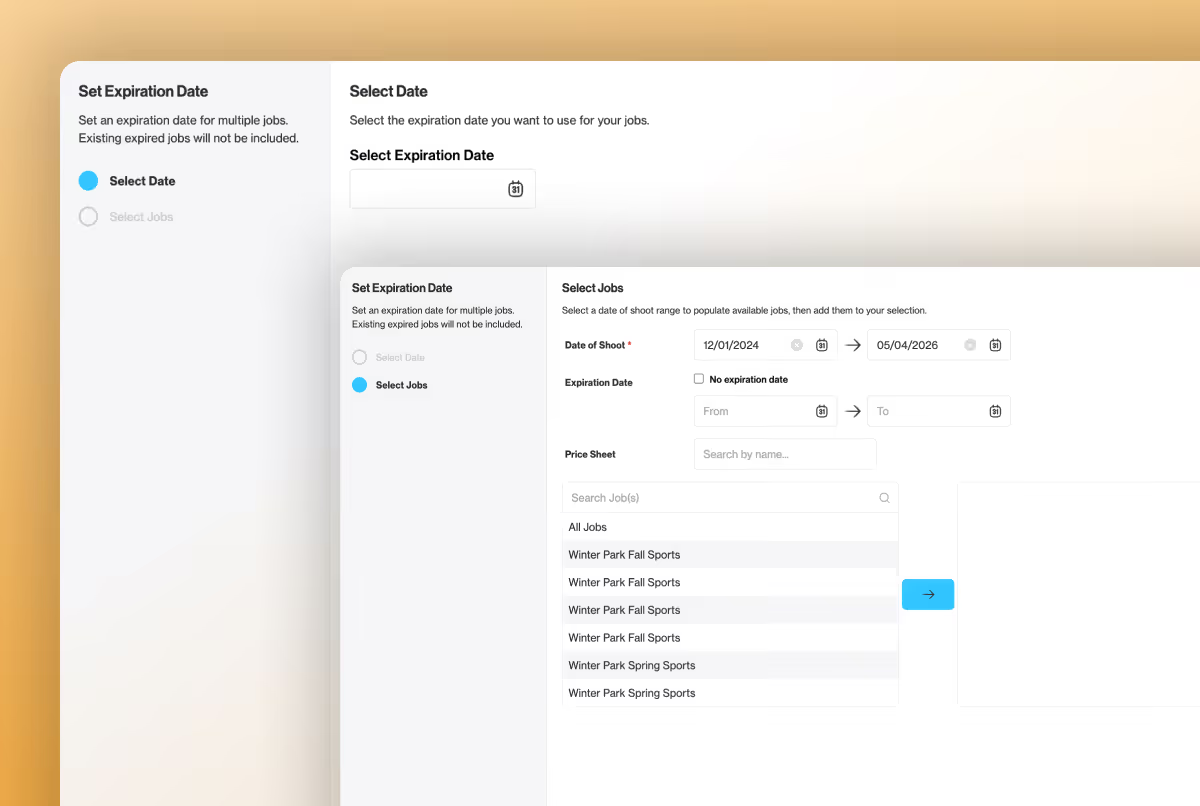
Make changes to multiple jobs with a single action
At PhotoDay, we’re always looking for ways to improve your quality of life and business workflows. We know that updating many jobs at once can require multiple duplicate clicks, so we streamlined the process with our new Bulk Actions feature!
Have you ever needed to change the price sheet or expiration dates for all of a season’s galleries? You can now do that without opening and updating each individual job.
With Bulk Actions for Job Management, you can filter, select, and apply an expiration date or price sheet* change to multiple jobs all at once. This is an exciting enhancement that lays the groundwork for powerful job management improvements for studios of all sizes.
*Price sheets must be for the same lab.
Simplifying Job Management
Previously, you had to update jobs one at a time by individually opening each one’s settings to change a price sheet or update the expiration date. Now you can filter your job list, select multiple jobs at once, and apply a change across all of them in a single action. If your studio manages a high volume of picture days, this will be especially life-changing!
This new feature is indispensable if you:
- Manage large studios with many active or seasonal jobs.
While any size studio will benefit from Bulk Actions, the more jobs you have, the more time you will save! - Want to apply a price sheet change across an entire season’s jobs at once.
Whether you’re running a best price promotion or offering a free product for a limited time or simply adjusting prices, swapping price sheets is now a breeze. - Want to update expiration dates across multiple jobs.
As the season comes to a close, try expiring your jobs to trigger the expiring gallery marketing series and drive last-chance sales.
Start Managing Jobs with Bulk Actions
To get started, head to the Management tab of the Jobs page, then click Bulk Actions in the top right corner.
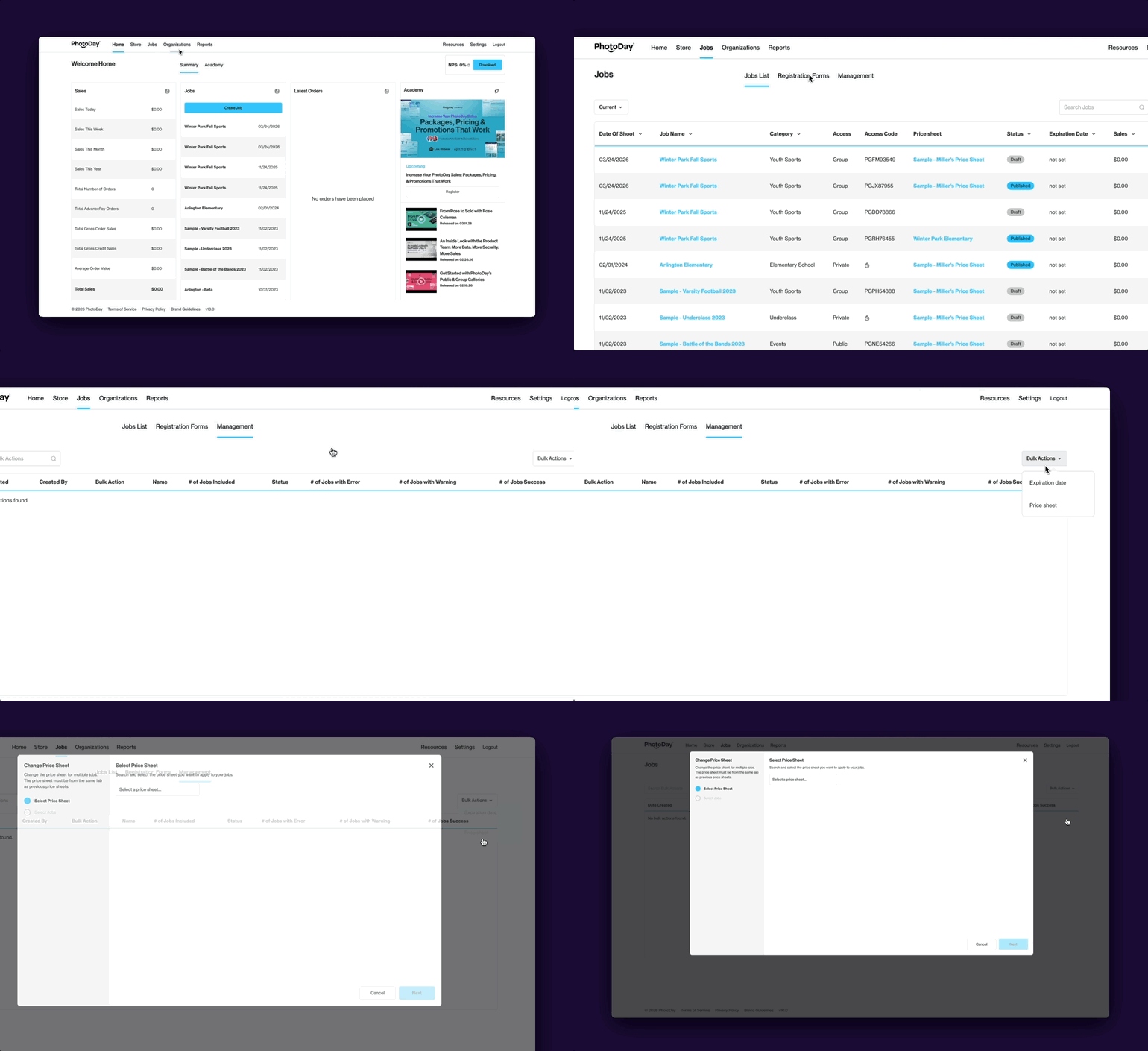
From here, you can filter and assign actions for multiple jobs with just a few clicks. Please note: when changing price sheets, only jobs with price sheets from the same lab will be available.
After submitting, the changes automatically run in the background, so you don’t have to wait before moving on to the next task.
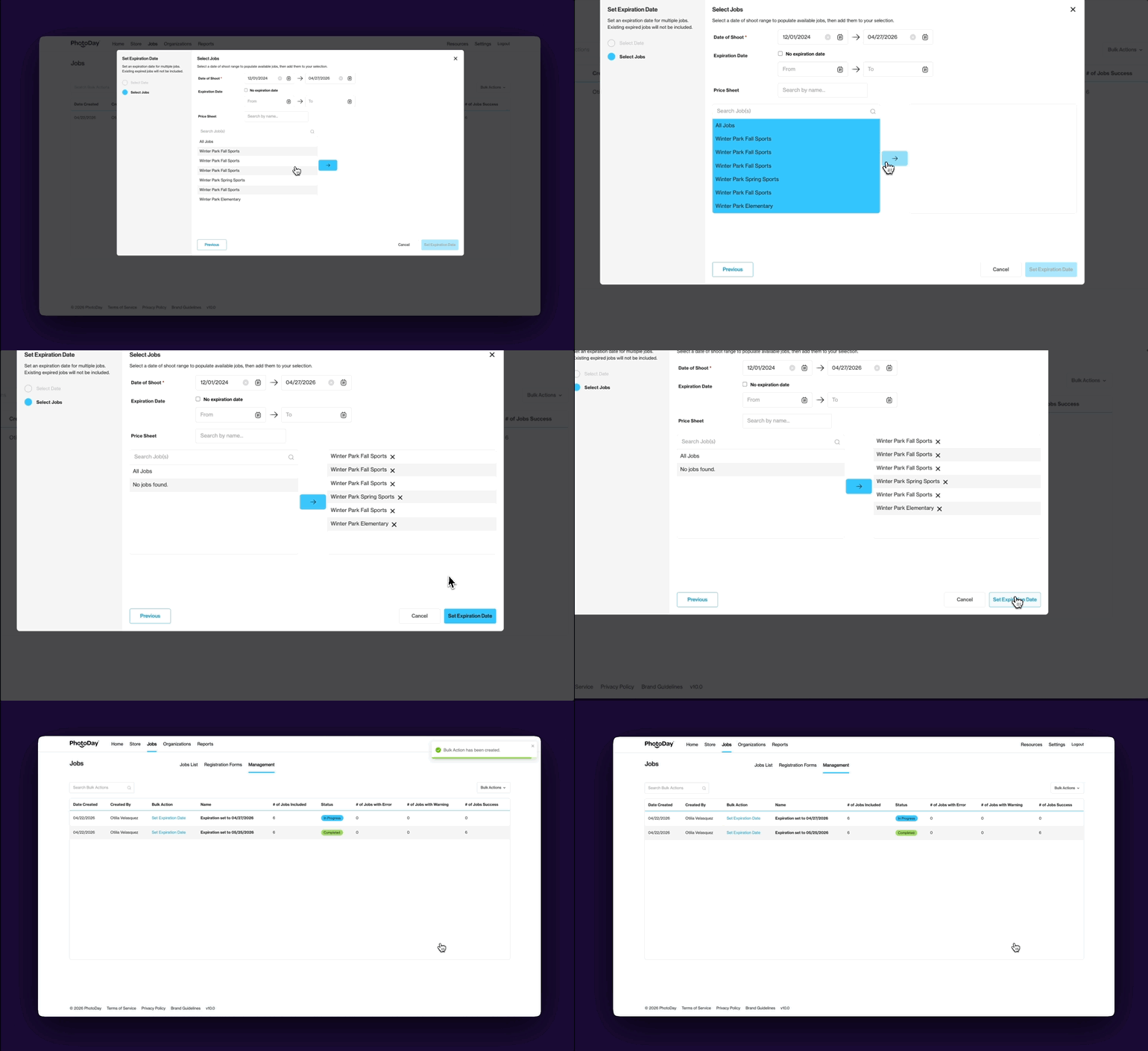
It really is that easy! We’re excited about how this new release will improve your quality of life and help you manage your many PhotoDay jobs.
{{rt-cta-button}}


