PhotoDay Capture & Subject Data for All Job Types
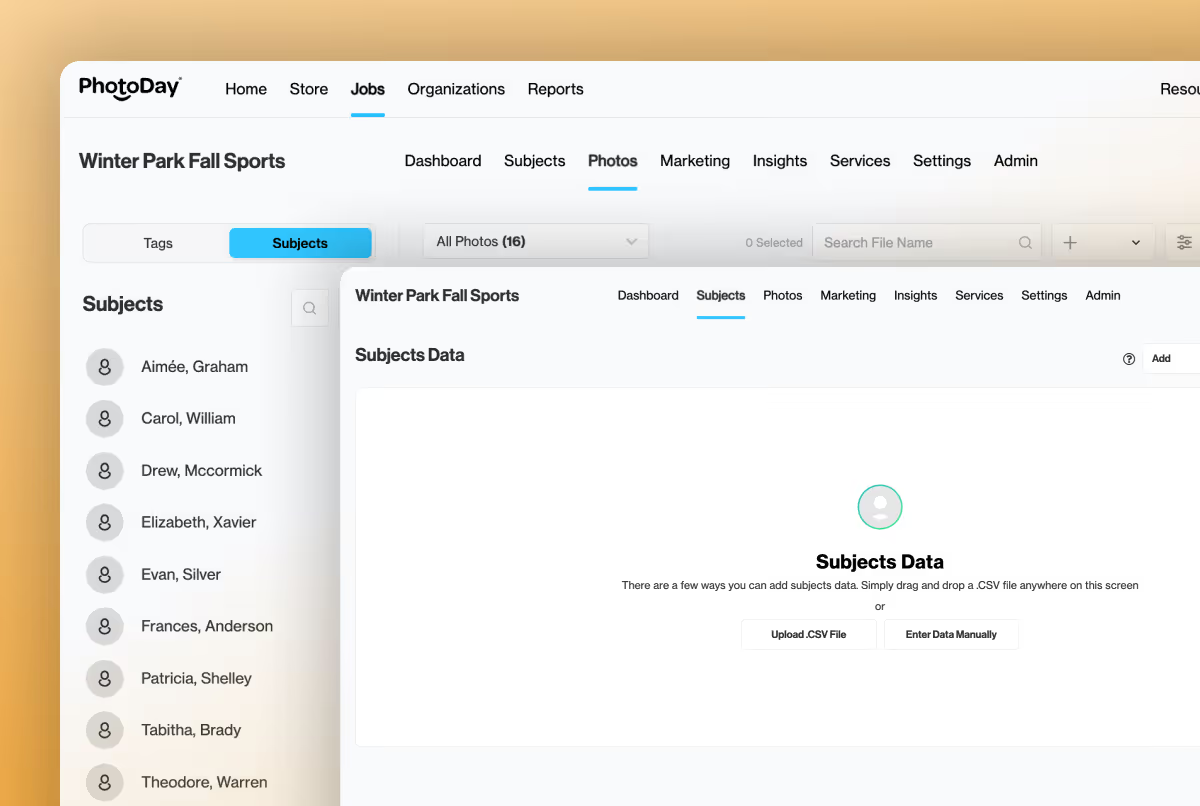
One consistent workflow for Group, Public, and Private Galleries
Have you ever wished you could combine the ease of Public and Group Galleries with the workflow and data management of Private Galleries? Now you can get the best of both.
PhotoDay Capture, Subject Data, and the management of that data are now available for all job types! Whether you want to send segmented marketing, effortlessly match subjects for composites, create exports, or just get the most out of our new Registration Forms feature, this is the update you’ve been waiting for!
We’re excited for how this major update will simplify and empower your workflows.
Convenience, Meet Data
One of the best parts about using Group or Public Galleries is being able to share a single gallery link or access code. The downside was not having the option to gather and use subject data when you need it.
Now you can experience the convenience of Group/Public access while leveraging the granular data management previously available only with Private Gallery Jobs.
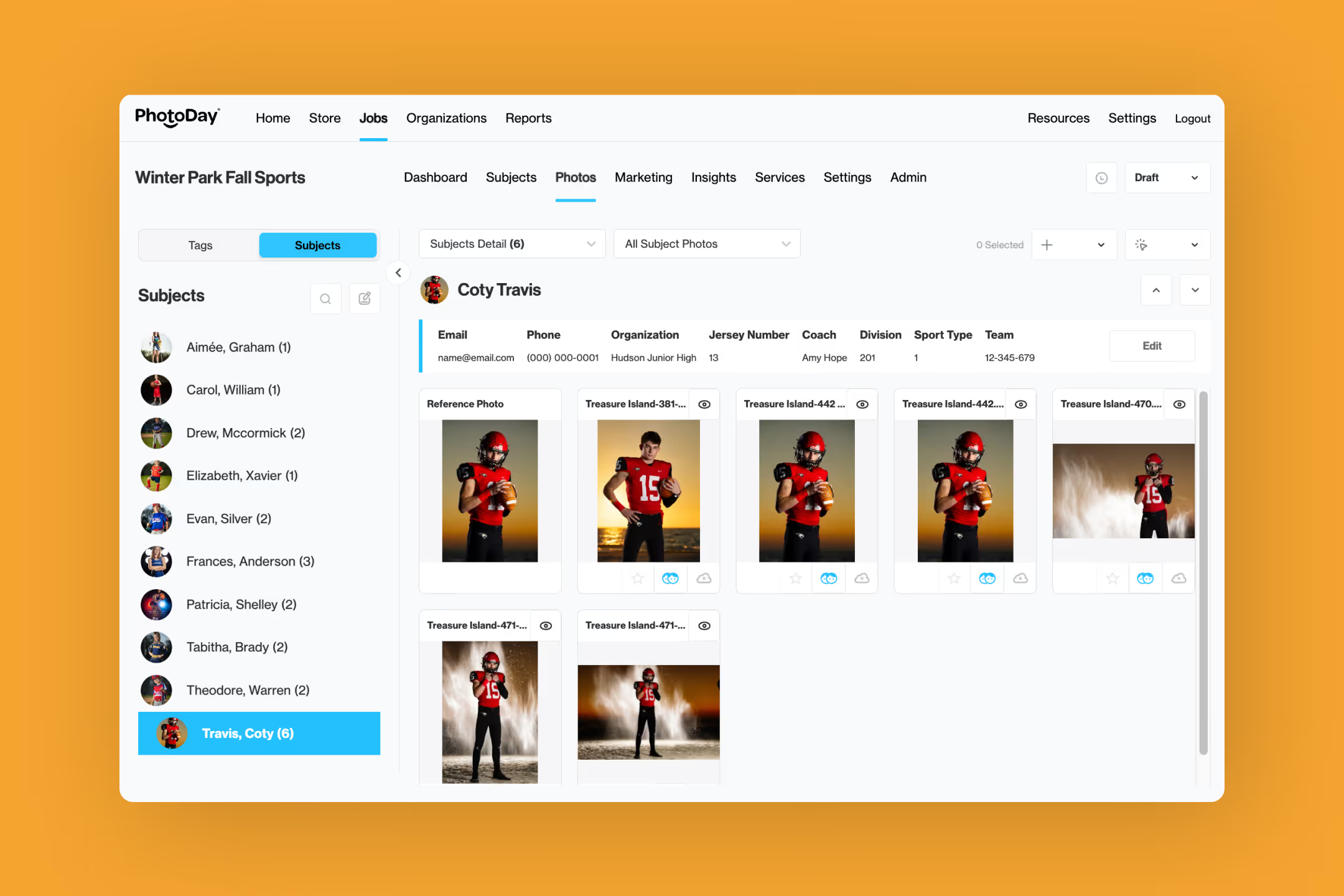
This also has a very significant domino effect: the ability to use PhotoDay Capture with all job/gallery types. Any previous workarounds for organizing data in Public and Group Galleries are no longer necessary!
Let’s break it down even more:
- Subject Data can now exist in all job types.
- The PhotoDay Capture app is available for all job types.
- Exporting is available for all job types.
- Segmented marketing automatically unlocks when emails are included in subject data.
- No more duplicate gallery workflows needed (like having a separate Private job for gathering subject data for composites to publish in a Group/Public Gallery)
Streamlined Workflows for Every Job
Previously, the key deciding factor for choosing a job type was “will you have subject data?” first, and “do you need private access?” second. Now, you can decide your gallery access regardless of how you’re using subject data.
The result is a more streamlined, consistent workflow for your studio:
- Same setup logic across job types.
- Reduced operational confusion.
- Easier team training.
- Scalable processes for growing studios.
See How it Works
Studios can request Subject Data directly from the Organization as usual, but we just released another method for collecting Subject Data: Registration Forms. This brand-new feature allows you to share a custom form before picture day that creates and updates Subject records right within PhotoDay—without needing to collect data from the organization.
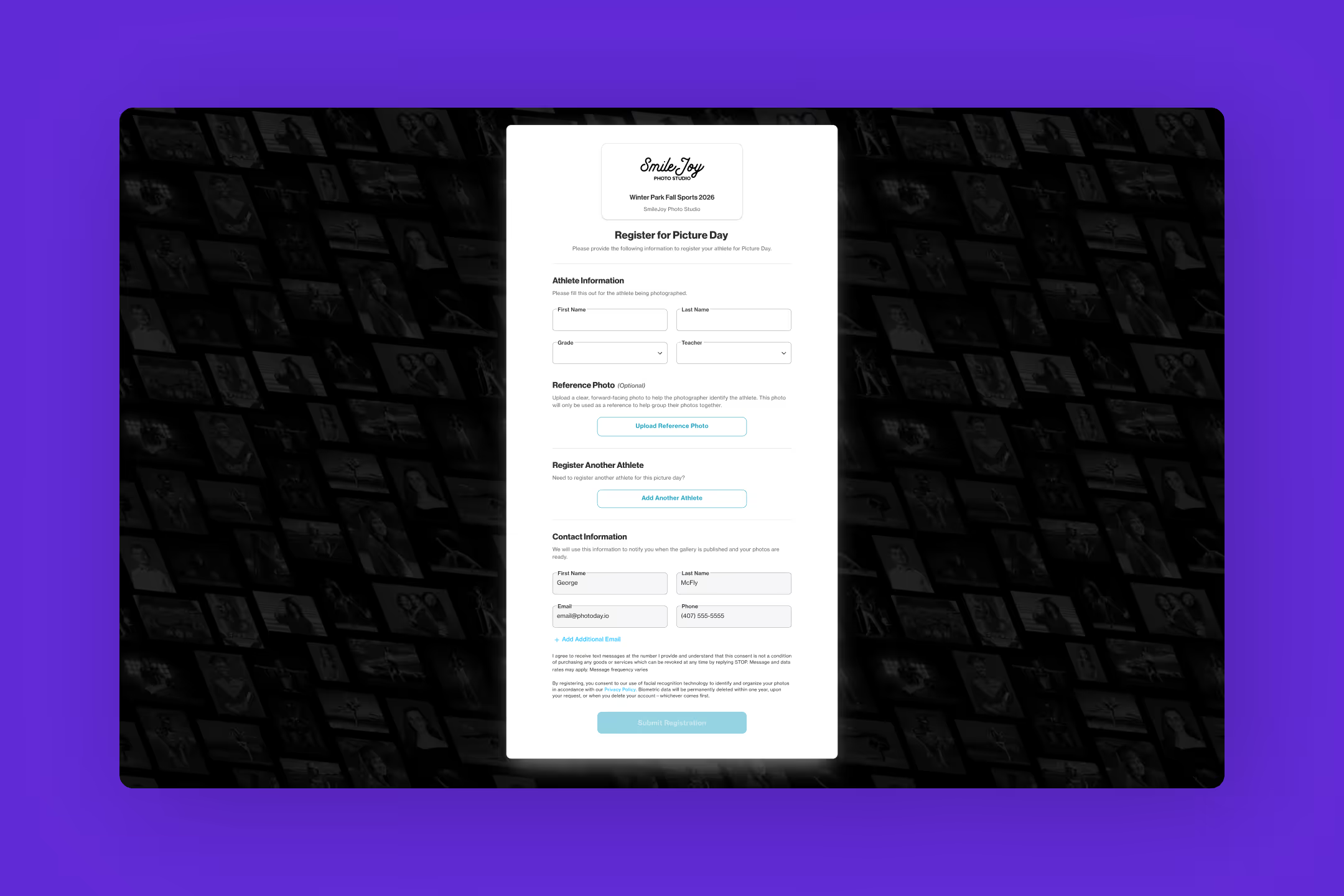
Once you publish a Group or Public job with subject data, a customer whose email is associated with a subject will receive a filtered view of their associated subject(s)' photos via a new “My Photos” tab in the gallery.
When a Group or Public gallery job with subject data is published, any customer with associated subjects—either by completing a registration form or by logging in with an account that has a matching email address to a subject(s) in the job—they will be shown a filtered view of only the relevant subject(s)'s photos via a new “My Photos” tab.

This creates a highly personalized, streamlined experience for customers to view and purchase their photos! They still have the option to browse the rest of the gallery using the enabled search options, but this new flow drastically reduces the number of clicks required from login to checkout.
More Control. More Possibilities.
Speaking of marketing, subjects with email addresses can be used for segmented or custom marketing from within the Marketing tab of the job. You can use Subject Data (such as grade, team, etc.) to send a flyer to only a specific group of subjects, making sure the right customers see your messages.
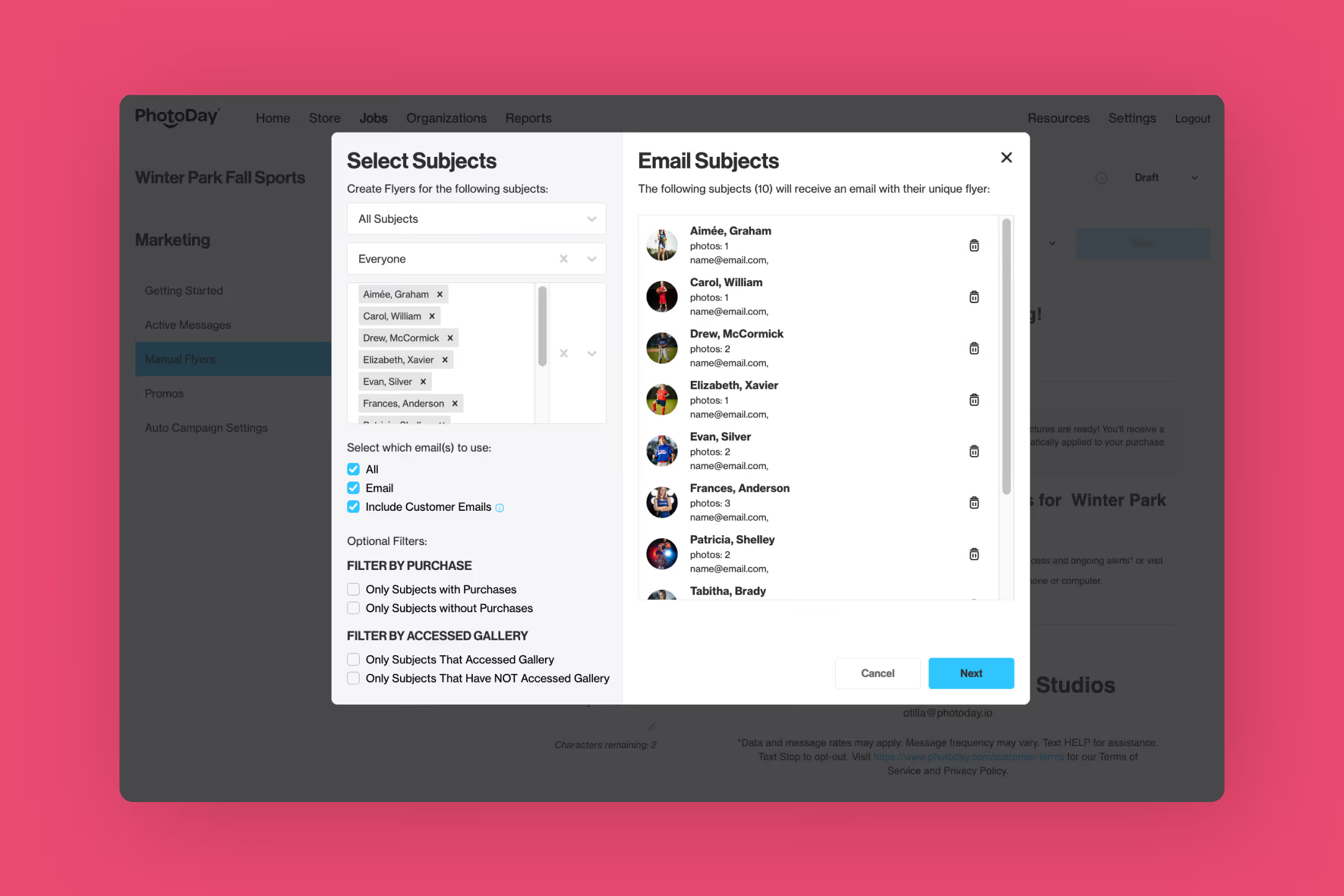
Additionally, subjects with matched photos will also receive our auto-campaign email reminders, making communication that much easier.
Get Started
If you’re already used to the Private Gallery workflow, all of this will feel familiar! If you’ve never used Subject Data in PhotoDay before, get ready to unlock a world of possibilities.
For a step-by-step walkthrough of how to use Subject Data and PhotoDay Capture in Group and Public Gallery jobs, please visit the support article below.
{{rt-cta-button}}
Please make sure you're signed into your PhotoDay account to access the support article.


